SEO Audit Tool
Analyzes sitemaps/pages for Meta titles/descriptions. Detailed H1/H2/H3 structure view with link analysis and scan history.
Project Overview
Building Simple, Site-wide SEO Audit Tool
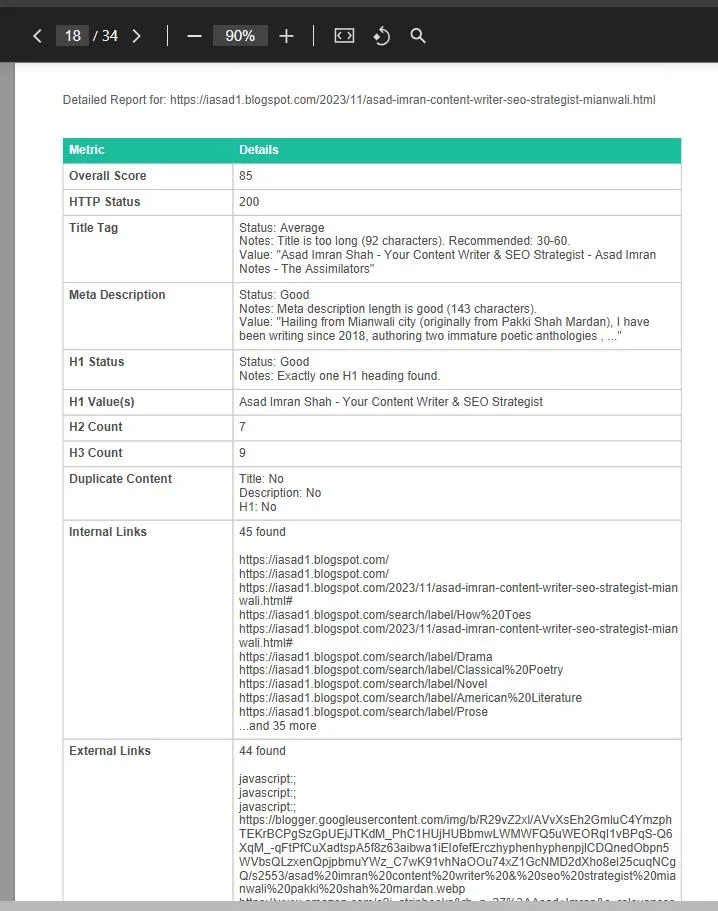
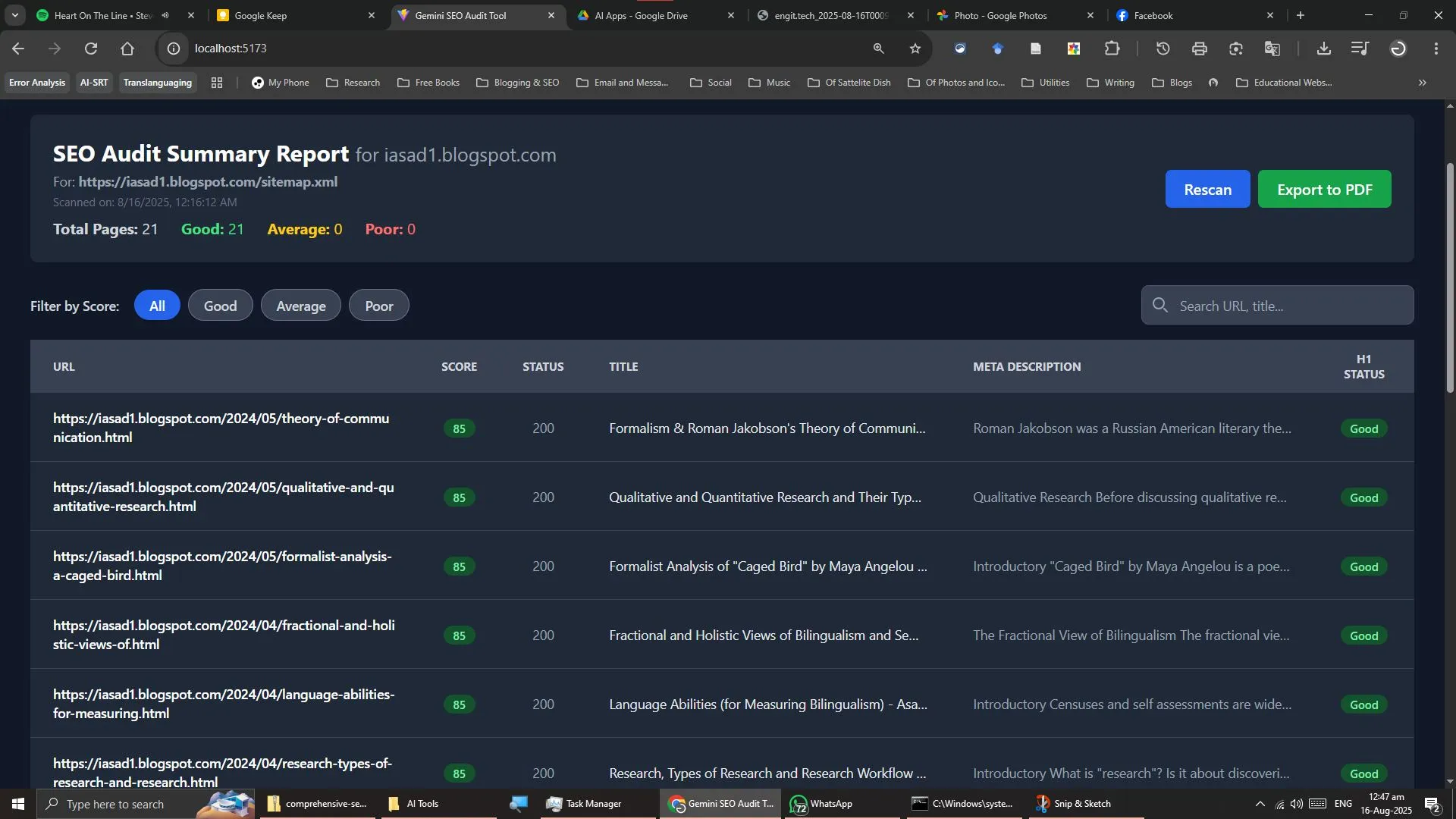
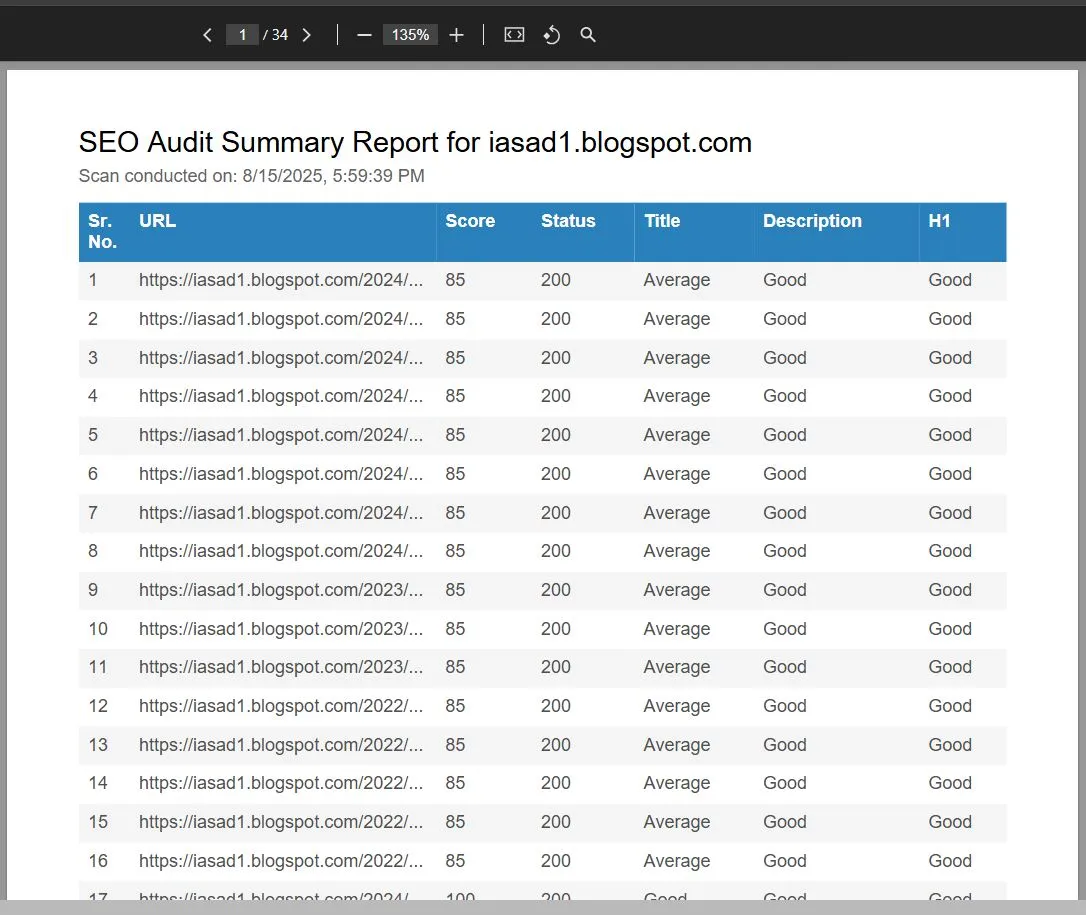
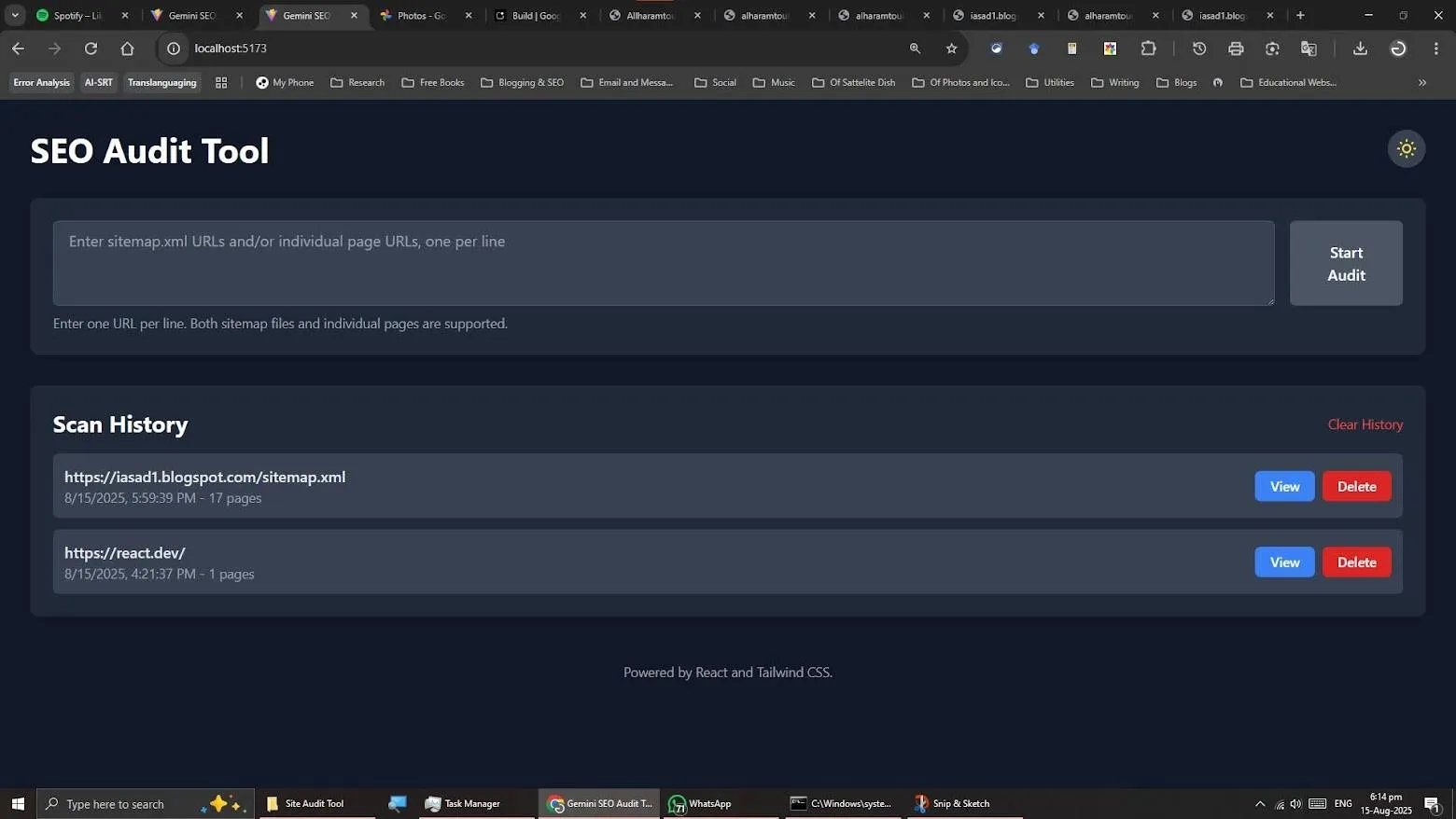
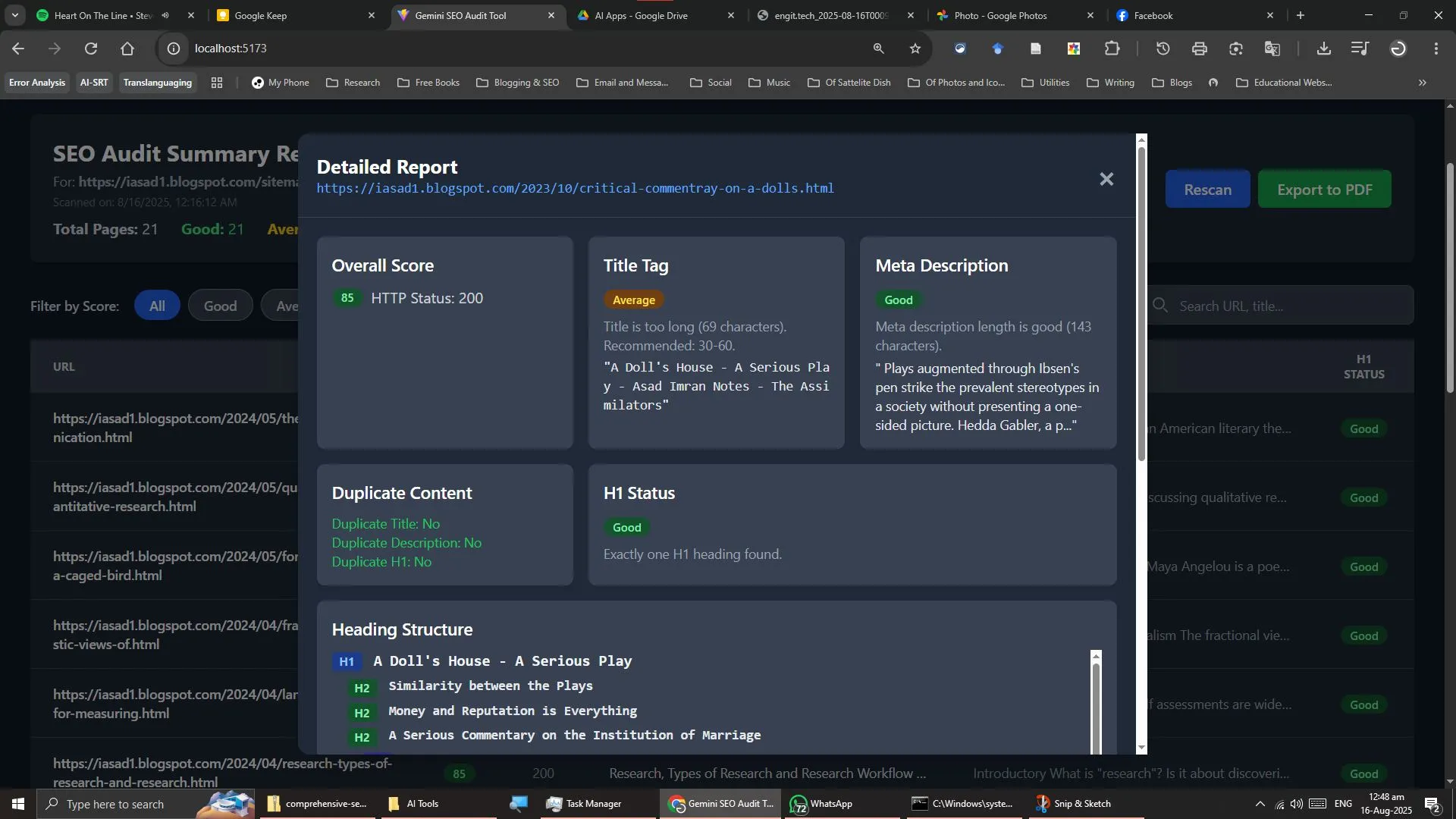
Every SEO audit tool I have used just yearns for my virtual debit card to be attached to their site. So I thought, why not try building a simple SEO audit tool with agentic AI? And I am elated to announce that I, with the help of Gemini AI, have built a very simple SEO audit tool that can crawl through every page that your sitemap lists and then tells you what is missing and what is exceeding the limits (in terms of On-Page SEO), and with the handy dandy option to export a detailed PDF report of the audit of your site. This tool will also keep a history of your previous audits as well.
Here is what this tool will show you: 1. An overview of good, average and poor pages in terms of on-page SEO. 2. An overall score of your page(s). 3. Critique of meta title, description and h1. It will show a missing message if any one of them is, well, missing. 4. Structure from h1 to h3. 5. Internal and external links present on the pages crawled and audited.
To run this tool on your machine, first install Node.js. Then download this .zip file which contains all the required files to run this tool: https://drive.google.com/.../1q1HHwnQ0vpgNIdTxkDo.../view... and extract the folder "SEO Audit Tool" somewhere safe. Now open Terminal/Command Prompt in this folder and run the following two commands one after another: > npm install (this will install all the dependencies to run the tool) > npm run dev (this command will run the tool) The SEO Audit tool will now be running on http://localhost:5173/ (open this link in any browser of your choice). Use it however you like by inserting one or multiple URLs or sitemaps! Hit CTRL+C in the terminal window to turn off (the server for) this tool (Recommended). PS: For sites built with WordPress, you may need to add post-sitemap.xml and page-sitemap.xml separately on each new line.
Gallery