Memorator
A conversation aggregator built to consolidate chats from Messenger, WhatsApp, and SMS into printable ebooks.
Project Overview
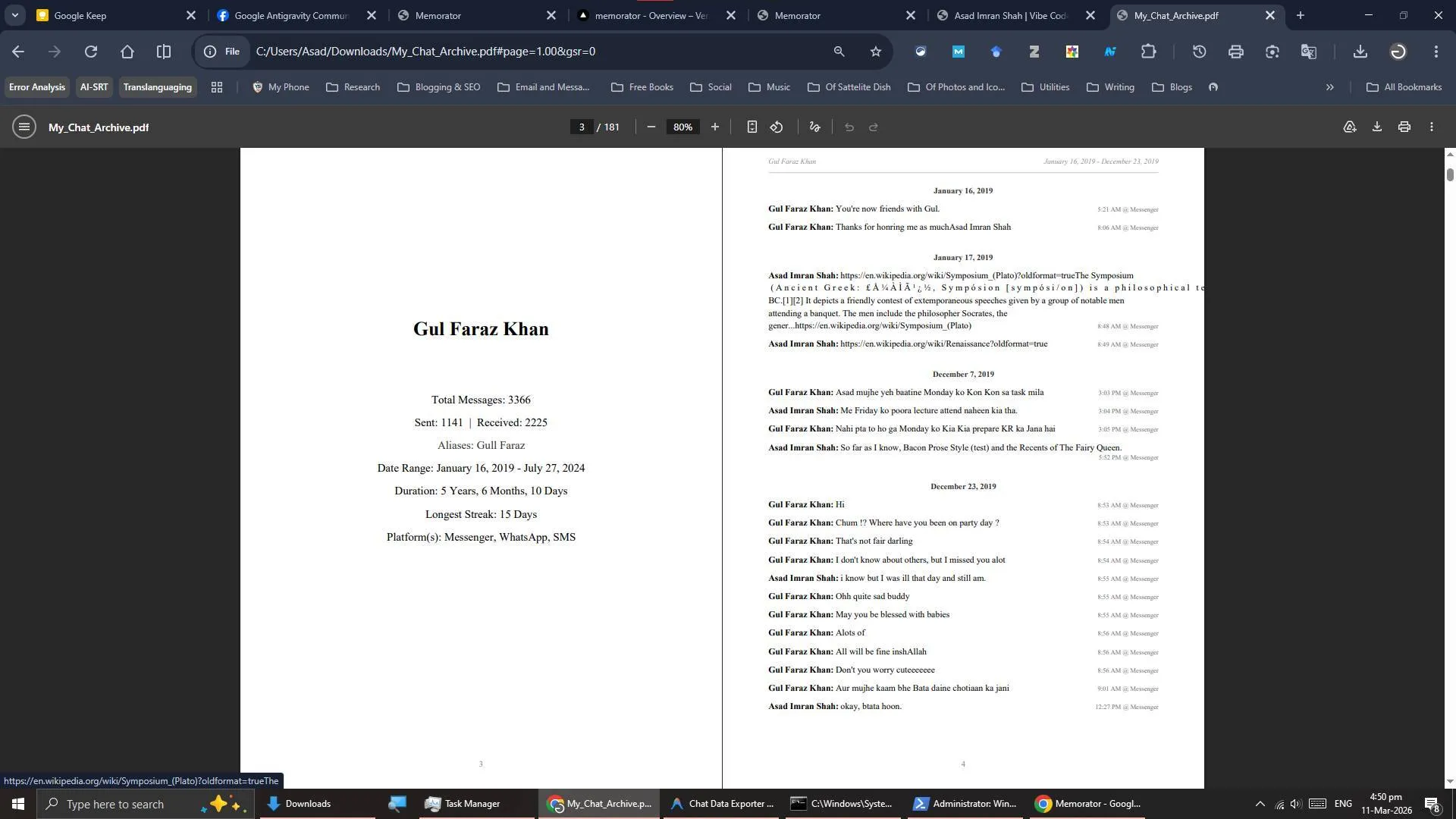
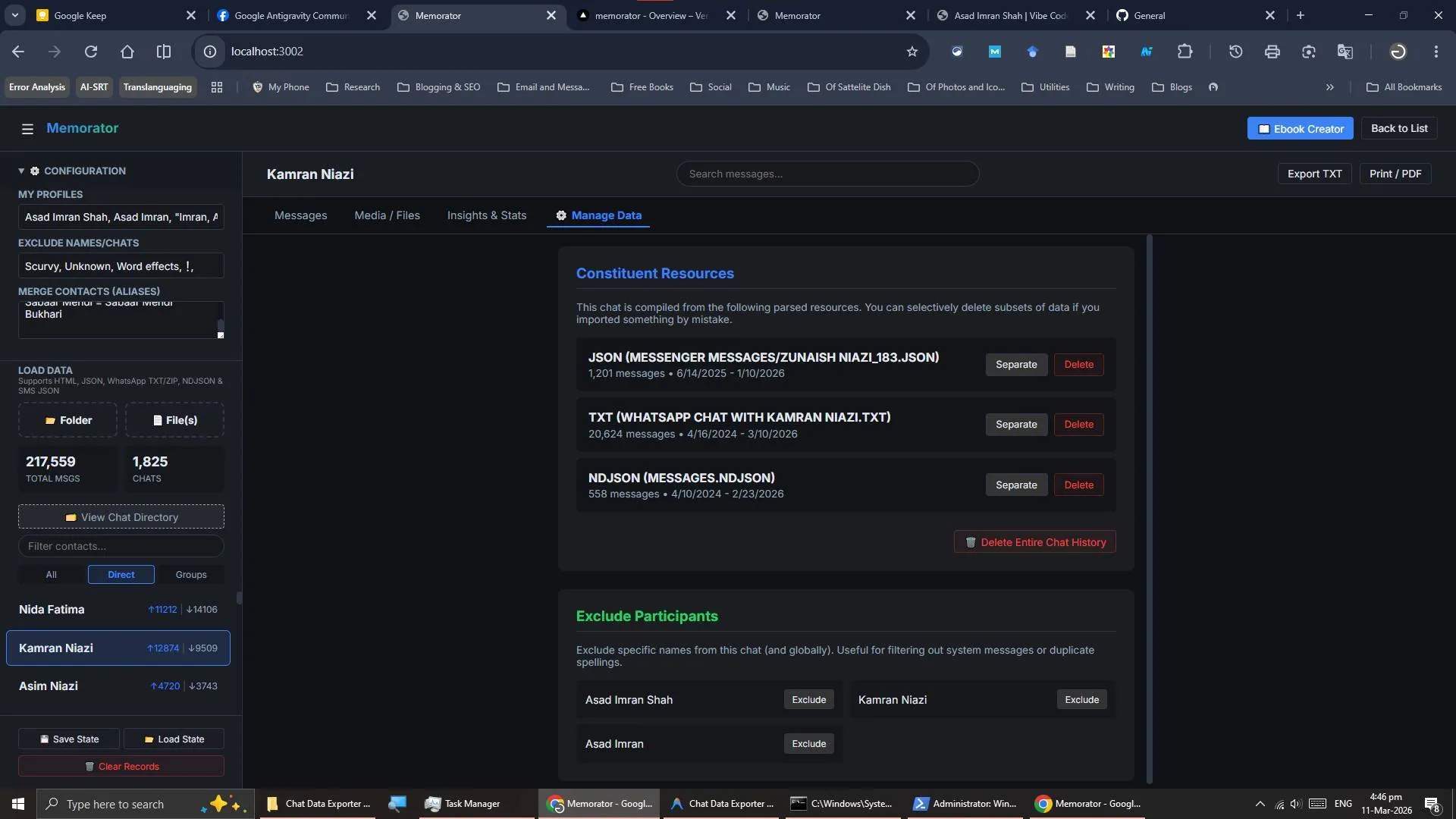
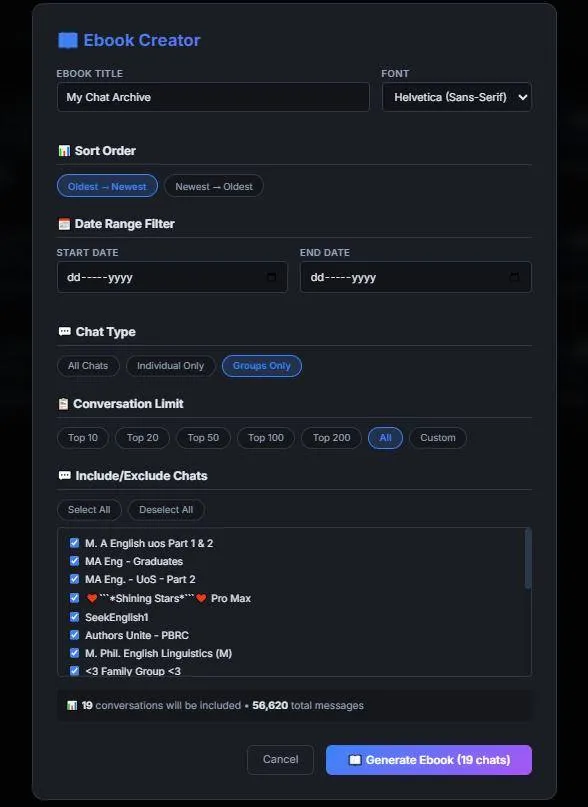
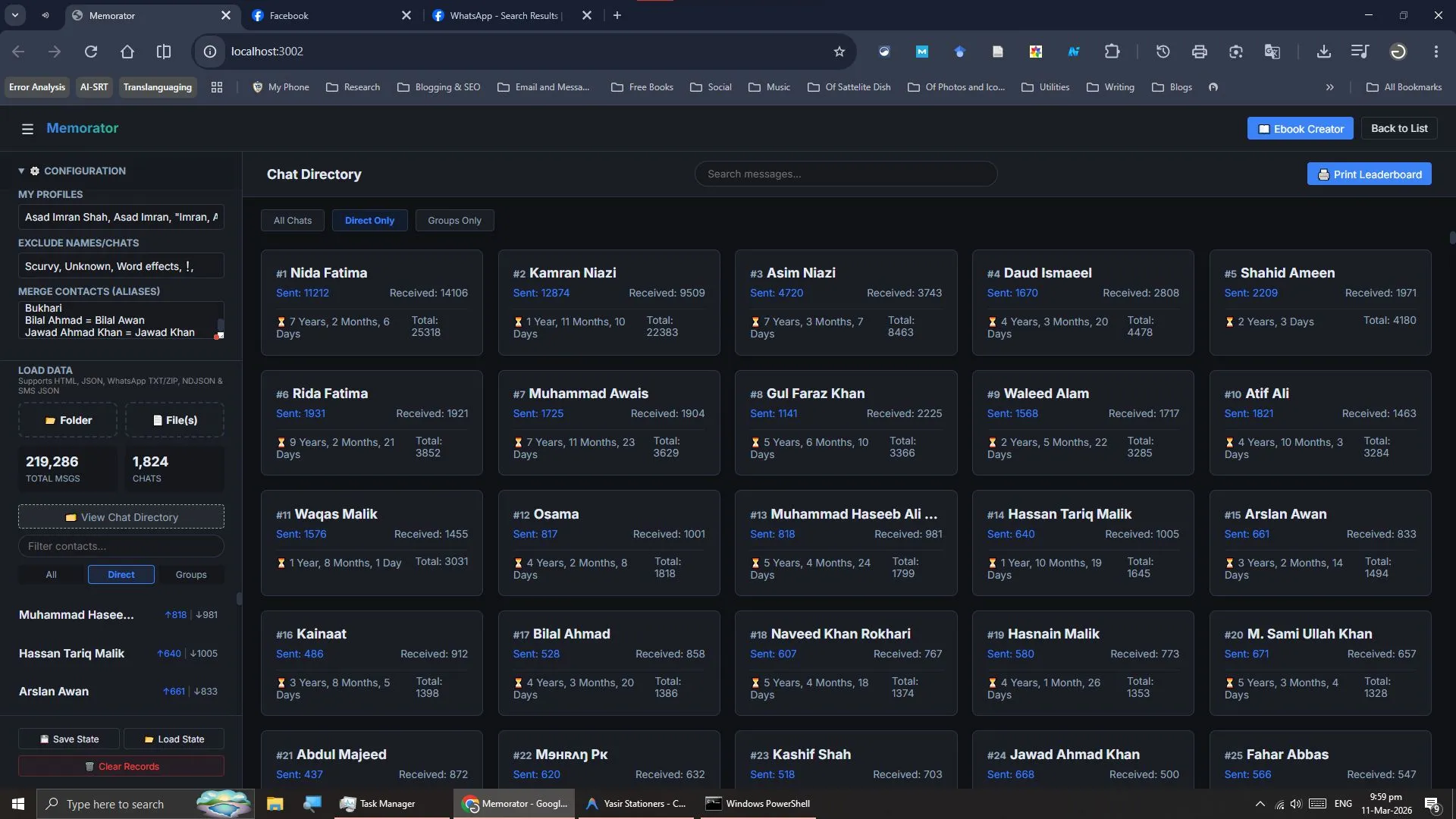
This is Memorator, yet another vibe coding project that was built to consolidate conversations of the same contacts across different platforms, with advanced filtering, a leaderboard, inclusion and exclusion options. You can batch import your archival data from FB Messenger (both Classic HTML and the E2EE backups). WhatsApp Chat Transcripts and SMS data (extracted from a FOSS app). The main feature of this website is that it lets you convert your chats into printable ebooks (in PDF files). ------------- FULL POST --------------- I'm neither a programmer and nor I claim to have expertise in front-end and backend development. But I had a lot of ideas for certain tools. I lost Gul Faraz Khan almost 2 years ago, and his conversations were spread across Messenger, WhatsApp and SMS. I was able to grab the WhatsApp one, but consolidating it with the rest of the platforms was a difficult task. Seeing other YouTubers try making tools via AI, my first vibe coding project was just a simple WhatsApp transcript parser that would let me create a generic PDF file out of a single conversation. But it was limited by the meager coding competency of the AI models at that time. But I was hooked! I created many other tools for my academic and non-academic journey (even one for my blog), and being able to create what I would imagine was very exhilarating! Before Google released Antigravity, I was using Gemini CLI and extensions like Roo Code with Gemini API to get a feel for agentic coding. But the output of the models (Especially Gemini 2.5 Flash) was not there. But I was trying my luck with other models such as Kimi and GLM and they were pretty competent. So I tasked GLM to make a universal parser for both Messenger exports (both in HTML and the recent E2EE backups) and it worked for the batch uploads! But the project would fall apart as I would request the inclusion of other platforms, such as SMS and WhatsApp, as it was consolidated in just a single HTML script. So I turned to Antigravity and used Claude Opus 4.6 and Gemini 3.1 Pro to transform this HTML project into a Vite/React one, and I have spent countless hours refining and adding features. This is how Memorator was born. Memorator is a conversation aggregator that combines conversations from various platforms, such as Messenger, WhatsApp, and SMS, and even if contacts have different names across different platforms, you can merge them through the Configuration menu. You can upload the whole folder containing the html/json files (in case of FB Messenger), ZIP/TXT files for WhatsApp, and JSON/NDJSON files for SMS (I suggest using SMS Import and Export from F-Droid to create your SMS backup). Since my main objective was to preserve the conversations of our long-gone friends, I gave Claude and Gemini a rough idea of how I wanted the final ebook to look. I initially created a mock-up of sample pages in Microsoft Word and inserted the screenshot into the prompt. I was going with the style of plays with names of participants in bold, followed by the contents of the message, with the time and platform at the right side of each message. As for dates, I was inspired by the organization of plays in acts and scenes, and I replaced them with the actual dates, just to avoid cluttering the contents of the messages. Each conversation is given a title page of its own with interesting stats and other information. You can make an ebook for just one contact or for a multitude of contacts. The ebook is rendered in PDF, and if you have generated an ebook for a group, the names of the 15 participants will also be shown on the title page. The main problem that arises when dealing with a massive amount of data of conversations is multiple people bearing the same name. So I asked Gemini 3.1 Pro to implement a deletion and separation system for such chats in the "Manage Data" setting in a single chat view. Since we can have multiple names on different platforms, you can add all such names separated by commas under My Name. If your name contains a comma for some weird reason, you can enclose that particular name in inverted commas to avoid breaking the parser. Enough rambling, here is how you can use this tool. Prerequisites: 1. Messenger data downloaded from Meta Accounts Center (It will be in HTML), and E2EE Messenger data (ZIP/JSON) from Facebook Desktop. Or use this link. [https://www.facebook.com/secure_storage/dyi](https://www.facebook.com/secure_storage/dyi) 2. WhatsApp Chat Exports (organized in folder, either in the form of zip or txt files) 3. SMS data grabbed from the SMS Import and Export (a FOSS app available on F Droid). Procedure: 4. Use either the Vercel link or clone the repo, install the dependencies and run the dev server. 5. Make sure you have organized all the chats neatly in their respective platform-wise folders. Upload them one after another. 6. The conversations will start showing up in the sidebar. You can click "View Chat Directory" to see the imported chats and their stats, alongside their ranking on the big screen. 7. If you have exported an updated chat record (Messeger/WhatsApp), it will only import the new messages and your old messages will stay intact. Please note that this does not work for SMS, and you will see duplicate entries if you already import an SMS data on top of an already existing SMS data. 8. Sometimes, even singular chats may be incorrectly tagged as group chats; you will need to open these chats and see who the extra participants are (such as Word effects for Messenger and Meta AI for WhatsApp). You can add them in exclusion criteria separated by commas, and the conversation will be identified as a singular chat. 9. If you have the same people using different names, such as Kamran Niazi on WhatsApp and Kamran Khan on Facebook, you can combine them by using this syntax in the "Merge Contacts/Aliases" field: Name 1 = Name 2, Name 3 Example: Kamran Niazi = Kamran Khan Example: Zahid Shabir = Zahid Jazz, Zahid Khan (Combines all three into one) The name at the left side of the equal sign "=" will be used as the default display name in the website as well as in the ebook. 10. Once you have imported all the data and are satisfied with the configuration, hit "Save State". It will save the whole session of your messages and their configurations in the local storage of your browser, which you can get back into by clicking "Load State". 11. Now you can search through whole chats and create e-books of a single conversation or multiple conversations. The ebook generation happens inside your browser. Limitations: Due to the inherent limitation of the jsPDF dependency, it does not allow us to print emojis and the support of Urdu language is bandaged by converting/embedding images straight onto the resulting PDF file. And I have been using Facebook in Pirate language, the data I requested from Facebook was also in Pirate language, so there is a 50/50 chance this parser may work on your data, but you can always fork it and implement your own features. So this is the journey behind Memorator, a project I solely built for the preservation of memories of the loved ones who are no longer with us.
Gallery